
With Space Cloud, you can trigger webhooks on any custom events in your application. Space Cloud uses an in-built eventing queue to invoke your webhooks reliably.
Make sure you have enabled eventing for your Space Cloud cluster. To enable eventing, head over to the Settings tab in the Eventing section:
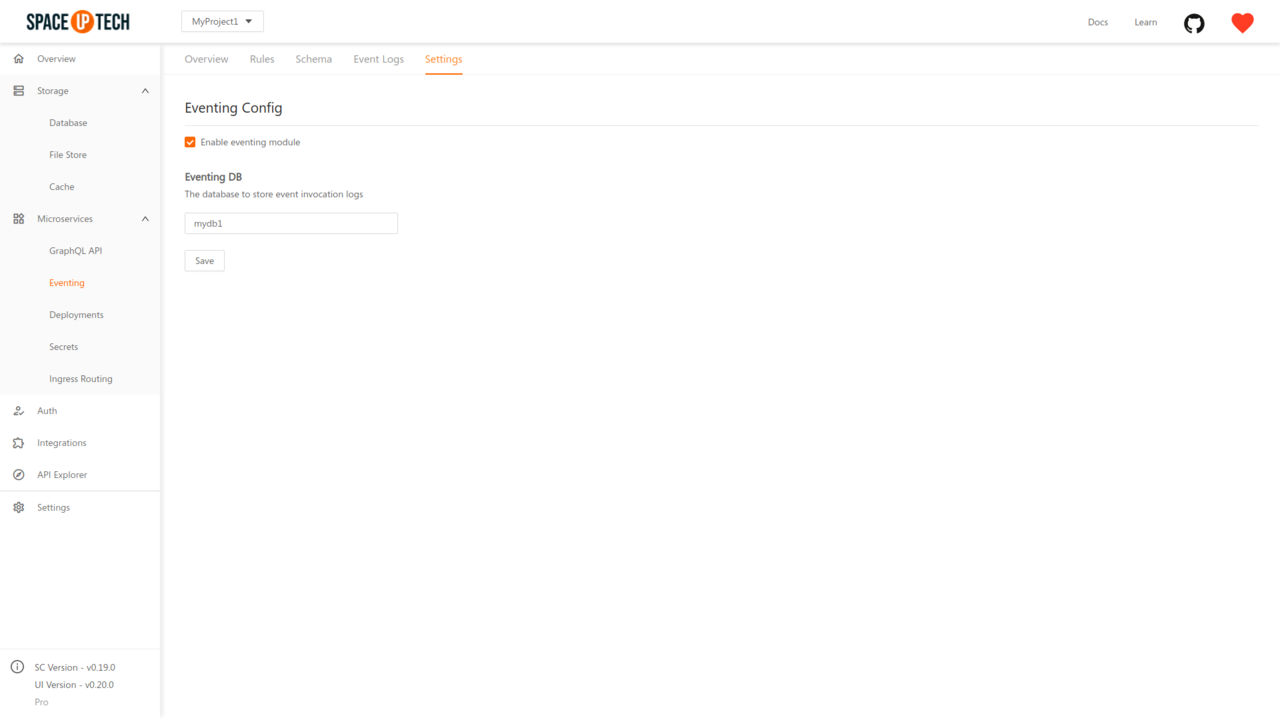
Check the Enable eventing module checkbox.
Select an Eventing DB and hit Save.
Eventing DB is used to store event and invocation logs.
Open a project in Mission Control, head to the Event Triggers section and click on the Add button to open the form below:
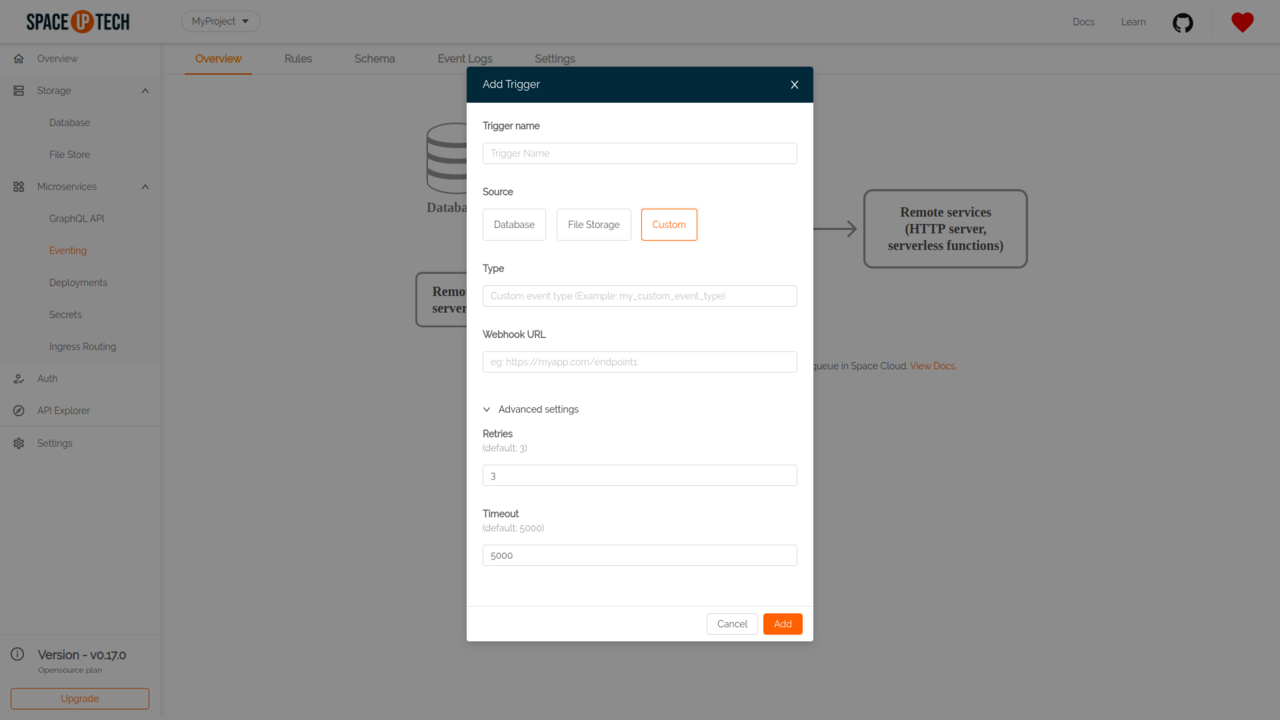
Trigger Name
Give a unique name for an event trigger. (e.g., welcome-email )
Source
Select Custom as the event source.
Type
The type of event for which you want to create a trigger. (eg: sent-email). Whenever, an event of a particular type is queued, all event triggers registered with that type are triggered.
Webhook URL
The HTTP(s) URL that should get triggered with the event payload on the configured operation. Must be a POST handler.
Retries
The number of times to retry a failed invocation. Default value is 3.
Timeout
Timeout in milliseconds. Default value is 5000.
Have a technical question?


Improve the docs!